

Layout settings
Steps
- In the theme editor (Customize), click Theme settings
- Locate Layout settings
- Make necessary changes
- Save
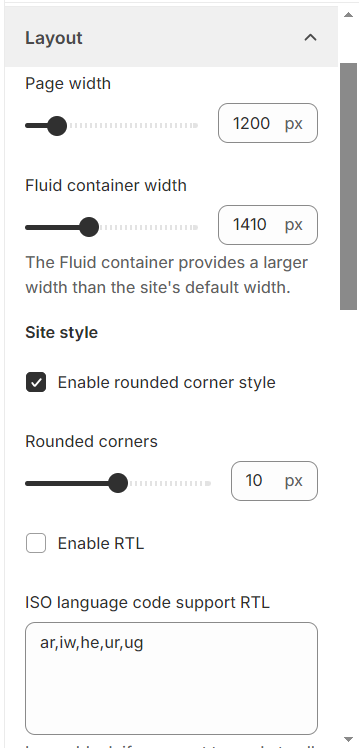
Page width: Set page width.
Fluid container width: Set the maximum width for content on the screen.
Enable rounded corner style: Activate rounded corners for rectangular items.
Rounded corners: Specify the degree of roundness you prefer for product images or blocks.
Enable RTL: Switch the page layout to right-to-left.
ISO language code support RTL: Leave blank if you want to apply to all languages. Separate your ISO codes if you want apply to some one languages ar; fa; ku; pa; sd.
No comments yet